Quinn, your bookkeeper
Quinn keeps your FreshBooks matching your app: each charge becomes an invoice there, and each payment is recorded against it. QuickBooks Online is coming soon.
Connecting FreshBooks
Quinn is an AI helper, but his jobs use no AI, so they never touch your AI allowance. Your app works with one accounting package at a time.
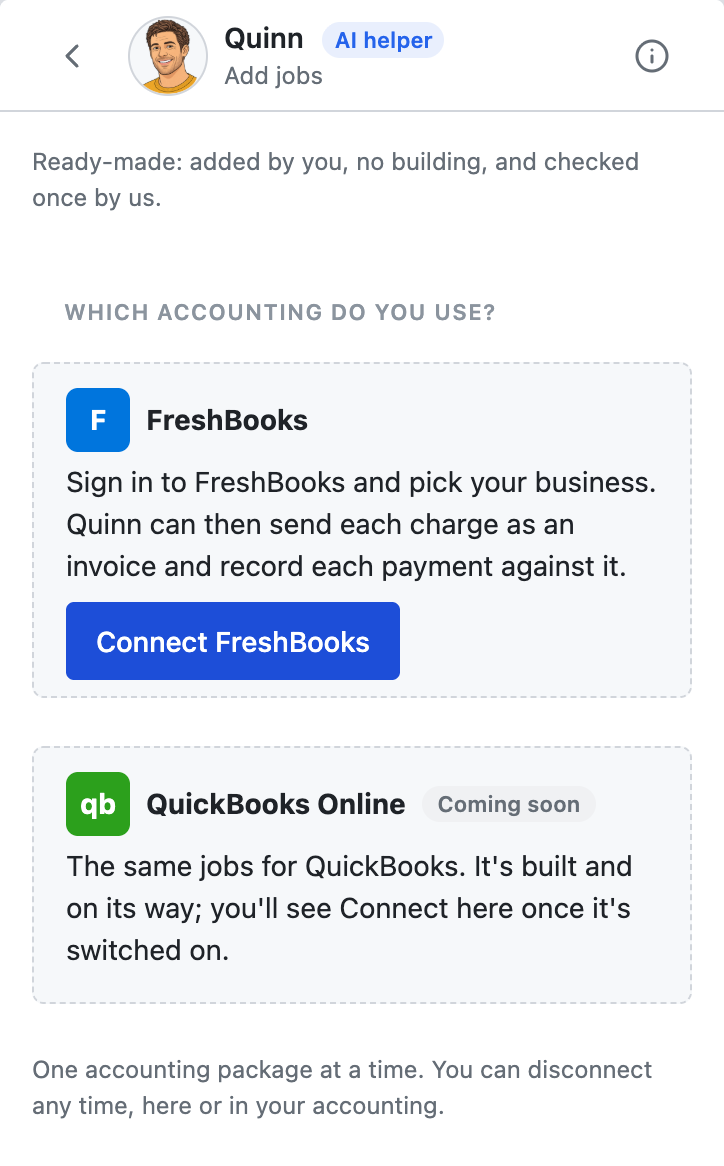
- Open Quinn, under your helpers, and choose Add jobs. Or start from Gregory → Connections.
- Under Which accounting do you use?, choose Connect FreshBooks.
- Sign in to FreshBooks. If you're in more than one FreshBooks business, pick the one for this app. You need to be its owner or an admin there.
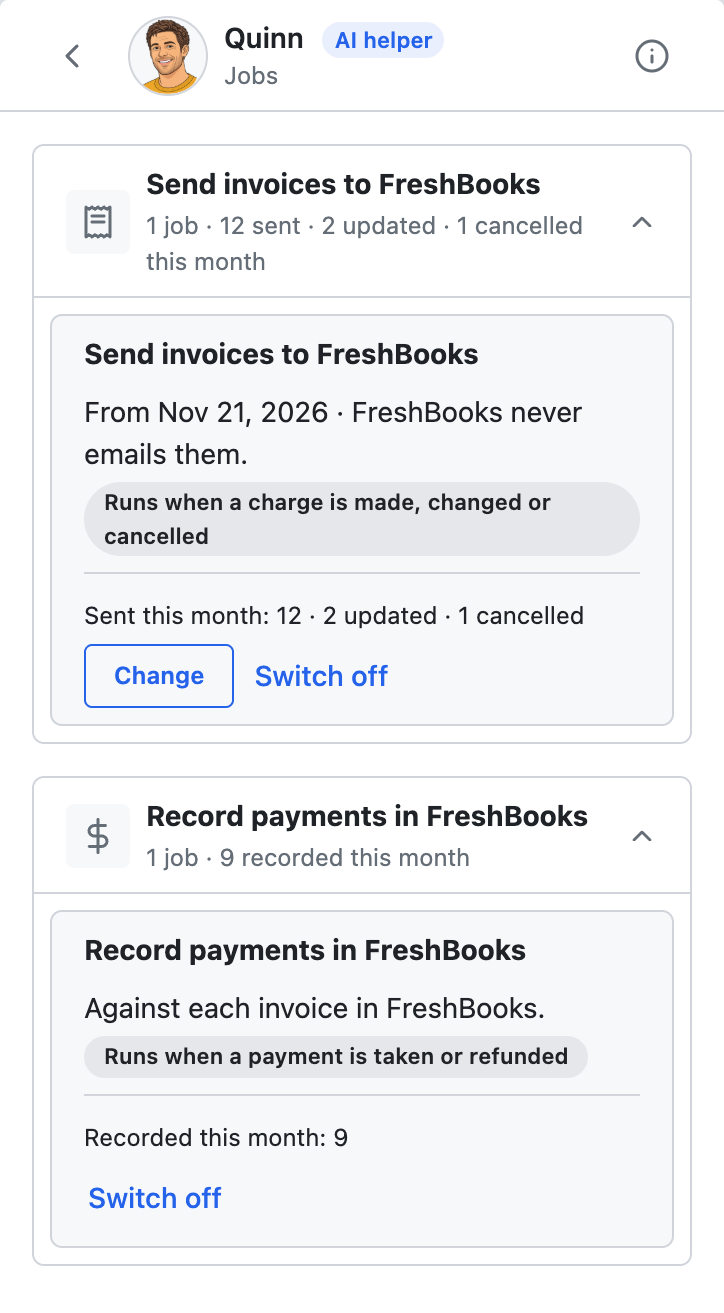
- Back in Quinn's Add jobs, add Send invoices to FreshBooks first, then Record payments in FreshBooks.
Send invoices to FreshBooks
Each charge you make becomes a FreshBooks invoice, with your app's invoice number, its date, its due date and its lines. You choose whether to start from today, or to send your past charges too.
- The customer is found in FreshBooks by their email, or added if they aren't there yet.
- A change to the charge updates the same invoice.
- A cancelled charge becomes $0 in FreshBooks, with the note "Cancelled in the app". It's never deleted.
- FreshBooks never emails the invoice. Your app already sends your customer its own invoice, with its PDF.
Record payments in FreshBooks
Each payment you take, by card, cash or check, is recorded in FreshBooks against its invoice. This job needs Send invoices first, because a payment is recorded against its invoice.
A refund brings the payment down to what you kept. A full refund removes the payment, so the invoice shows unpaid again. Either way, Quinn adds a note to the invoice saying what was refunded and when.
Your app is the record
Quinn makes FreshBooks match your app, and never the other way round. Invoices, clients and expenses you make in FreshBooks itself stay in FreshBooks and never come into your app.
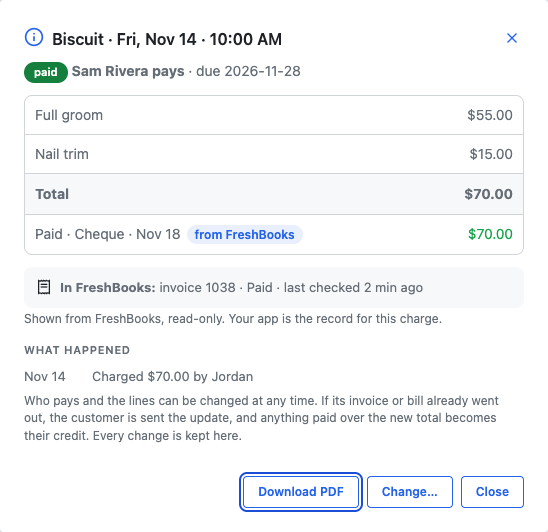
Each charge shows what FreshBooks says about its invoice, such as "In FreshBooks: invoice 1038 · Paid". It's for your information only. If someone changes the amount in FreshBooks, the charge says so, but your app isn't changed.
A payment recorded in FreshBooks
There's one exception. If someone records a payment in FreshBooks on one of your app's invoices, Quinn brings it into your app. He checks FreshBooks every 15 minutes.
- If it fits (money is still owing, and it's no more than that), it's recorded in your app by itself, the usual way. The receipt, the balance and any reminders stay right. It's tagged from FreshBooks.
- If it looks wrong (the charge is already paid, it's more than what's owing, the charge was cancelled, or Quinn can't match it), it waits for you in Needs you, with the reason. Choose Record it to add it to your app, or Not ours, and Quinn won't ask about it again.
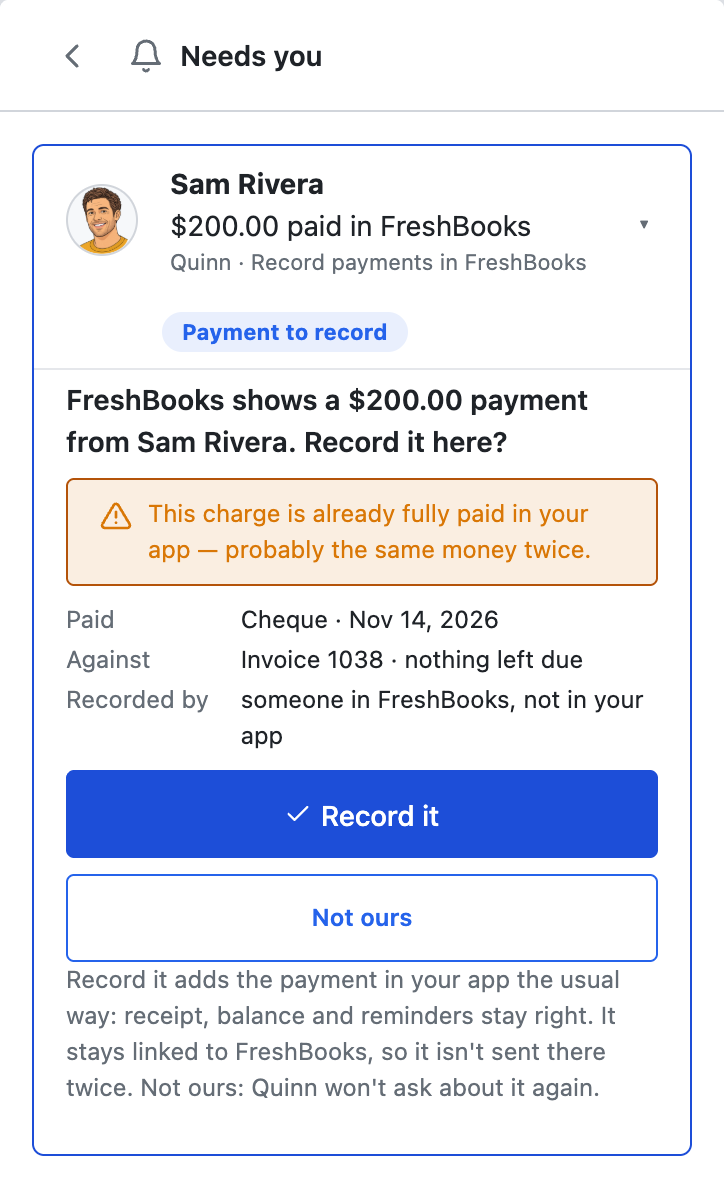
If a payment is more than a charge owes, Record it puts the rest towards the customer's other charges, and then keeps it as their credit in your app. Quinn takes that credit out of FreshBooks and adds a note, so it's counted once.
Does he ask first?
No. Quinn only keeps your own books matching your app, so once you switch a job on, it runs by itself. There's nothing to approve, and everything he does shows in Activity.
Stopping or disconnecting
To stop one job, choose Switch off on it in Quinn's Jobs. To pause Quinn altogether, pause him like any helper.
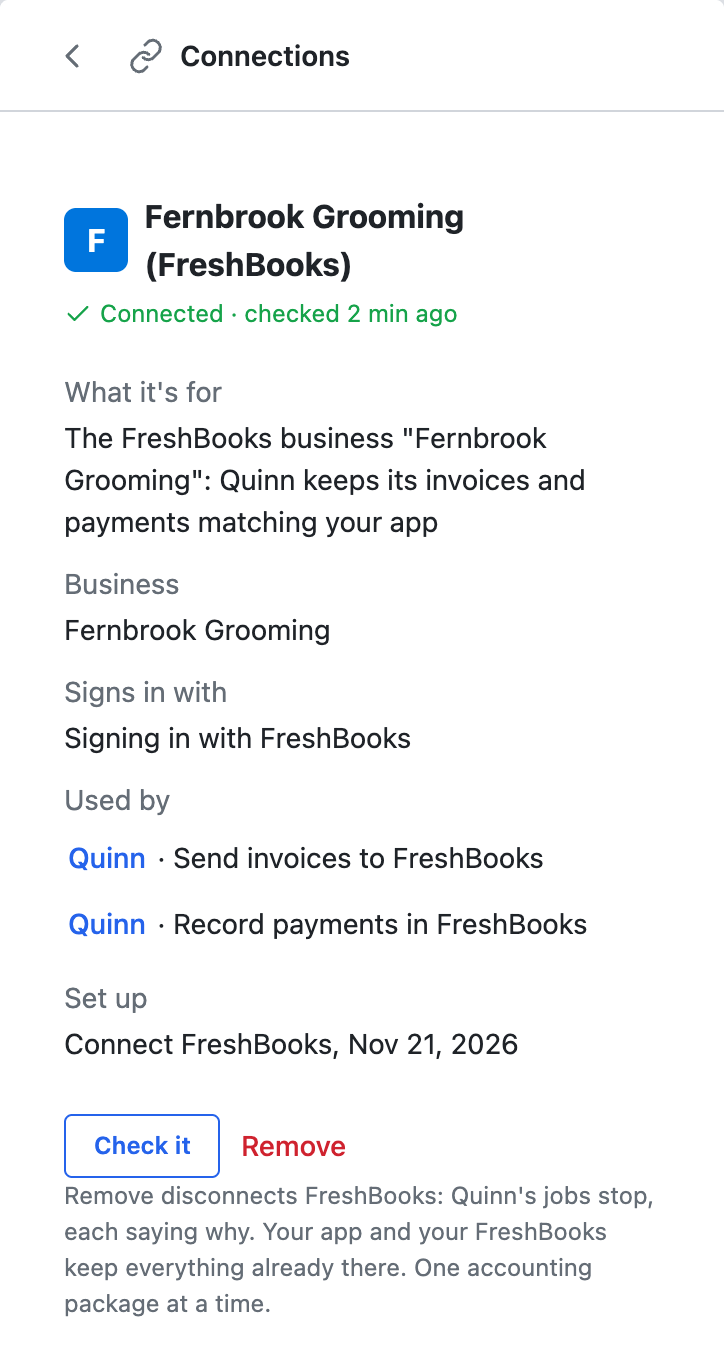
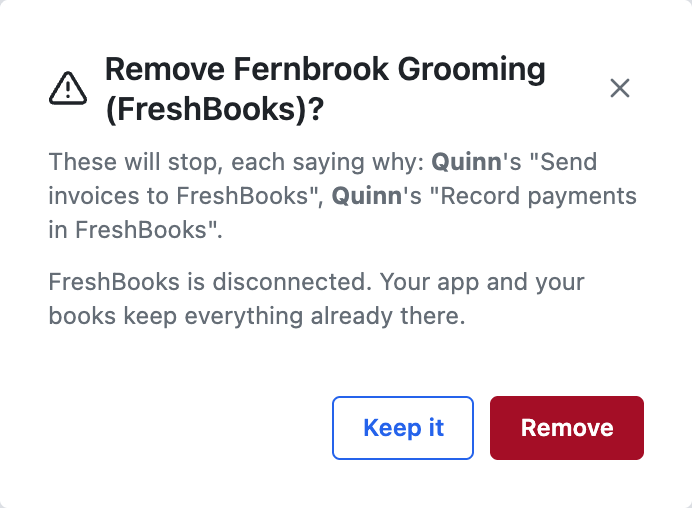
To disconnect FreshBooks, open Gregory → Connections, choose your FreshBooks connection, and choose Remove. Your app tells you first which of Quinn's jobs will stop. You can also disconnect from inside FreshBooks. Either way, your app's sign-in to FreshBooks is deleted. What's already in FreshBooks stays there.
Not yet
- QuickBooks Online is coming soon, with the same jobs.
- Other accounting software.
- Sales tax isn't sent to FreshBooks.
If you're stuck
Ask Gregory. He answers questions about your app and tells you where to do things, and questions are free. You can also email support@ask-gregory.com.