Your plan and AI allowance
What's free, what your plan includes, and how to keep an eye on the AI your helpers use.
Your plan
- Free: talking to Gregory and the Quick look.
- $300 a month: for a limited time, your first 2 months are $100 each.
- What's included: your app, built for your business and checked by a person; your helpers, with a $75 monthly AI allowance; and changes whenever you ask Gregory.
Your plan starts when you ask Gregory to build your app. Your first month is paid then. If we can't build what you asked for, we refund it in full.
Seeing your plan
Open Gregory, then Your plan. It shows your price, your next payment and the card you're paying with.
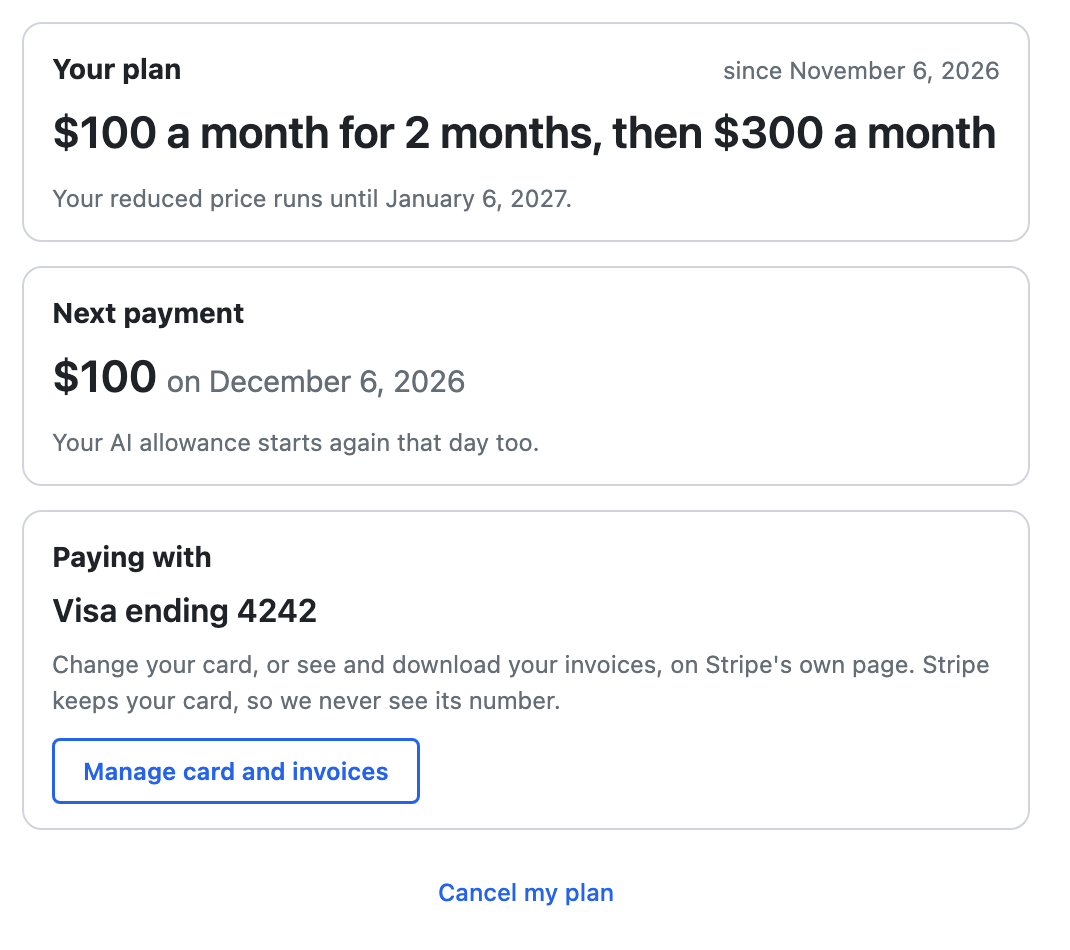
- Your card and invoices: choose Manage card and invoices. This opens Stripe's own page, where you can change your card and download invoices. Stripe keeps your card, so we only see its type and last four digits, never the full number.
- If a payment doesn't go through: Stripe tries again over the next few days, and a note appears at the top of your list. Choose Update your card. Your app keeps working in the meantime.
- Cancelling: choose Cancel my plan. See If you want to leave.
Seeing your AI allowance
Open Gregory, then AI allowance. It's shown in dollars:
- This month: what's left, and the date it starts again.
- Bought: anything you've added on top of your monthly allowance, with Add more.
- What used it this month: how much went to each helper, and to reading your documents.
- History: each renewal, and anything else that changed the amounts.
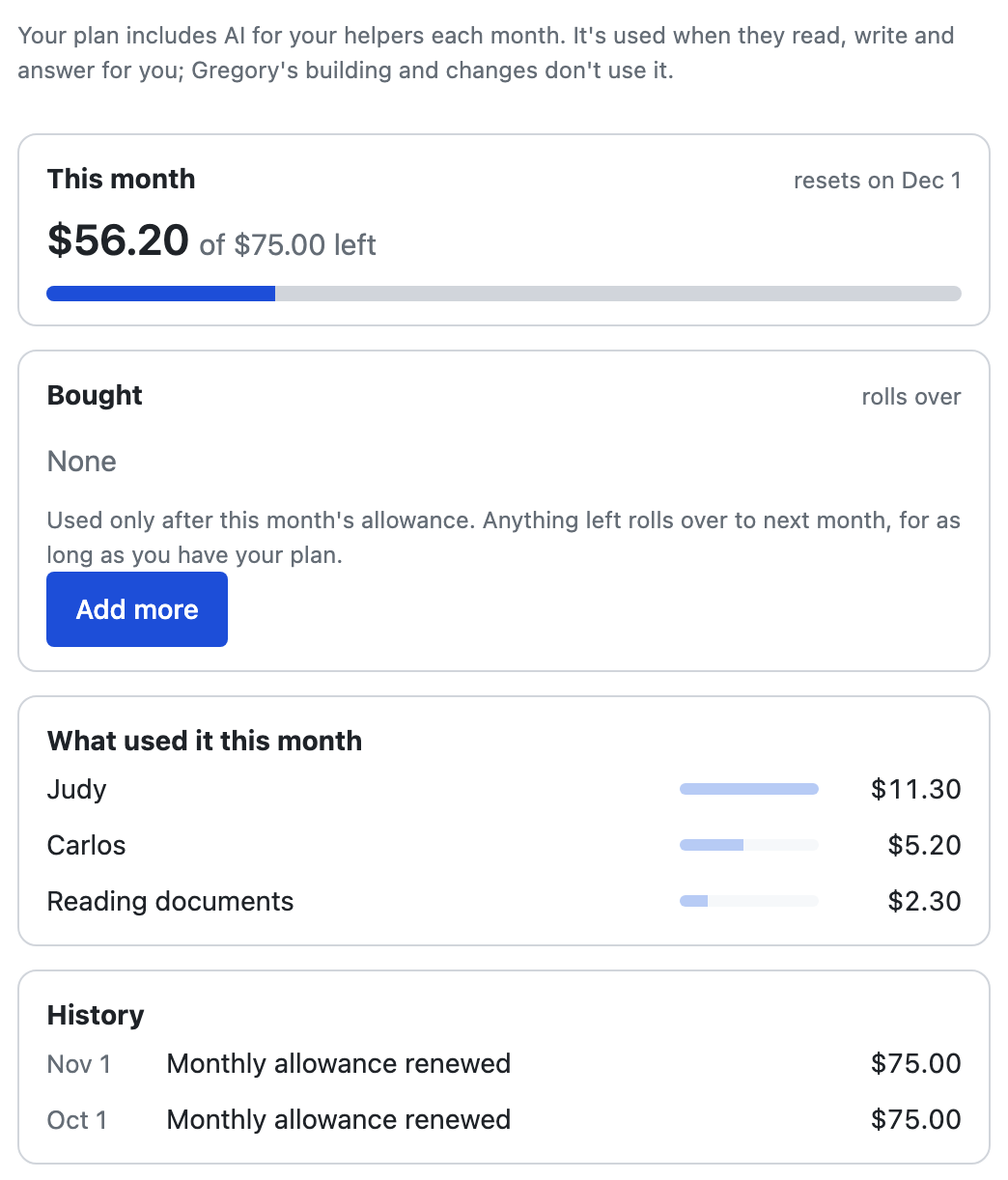
Your allowance starts again on the day of your next payment. Whatever's left of the month's allowance doesn't carry over.
What uses it
Only AI work uses your allowance: your helpers reading, writing and answering for you.
- Uses it: Judy answering customer email and questions on your website, Carlos making and changing your website, Iris's reading, reading your documents, and any AI a helper of your own uses.
- Doesn't use it: Grace's ready-made jobs, Iris reading today's calendar for Grace or finding photos for Carlos, Judy's emails once you've approved the wording, fixing a word or photo on your website yourself, and Gregory's building and changes.
Each helper also has a daily limit, so an unusual day can't run up costs. To use less, you can pause a helper or switch off a job.
What $75 covers
For example, a month with about 150 customer emails answered, 300 website chat questions, a daily check of a web page by Iris, and 10 changes to your website comes to about $10–20.
The website chat costs more the more Judy knows, because she reads all of it for each question. These figures come from our own testing and will change with AI prices. Gregory → AI allowance always shows exactly what's been used and what's left.
When it runs low
Once you've used most of the month's allowance, a note appears at the top of your list. Choose See to open your AI allowance.

If it runs out
Only your helpers' AI pauses. Your app keeps working, including your records, forms, payments and reminders. Judy hands new emails to you, and it all starts again on the day of your next payment. To keep your helpers going before then, add more.
Adding more
You can add more AI any time. It's never added by itself, so you only pay for what you choose.
- Open Gregory, then AI allowance, and choose Add more.
- Pick $10, $25 or $50. Or choose Other, and enter any amount from $10 to $500.
- Choose Pay on Stripe's page, and pay there.
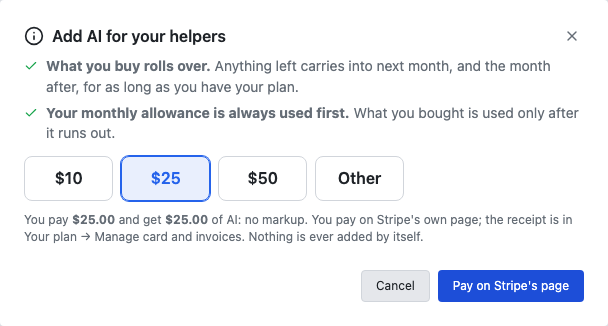
- No markup: what you pay is what you get. If you pay $25, you get $25 of AI.
- It rolls over: anything left carries into next month, for as long as you have your plan. It ends with your plan if you cancel.
- Your monthly allowance is used first: what you added is used only after that runs out.
- When it arrives: it shows under Bought, usually within a minute.
- Your receipt: it's in Your plan → Manage card and invoices.
If you're stuck
Ask Gregory. He answers questions about your app and tells you where to do things, and questions are free. You can also email support@ask-gregory.com.