Changing your app
Your business changes, and your app can too. What to ask Gregory, what to do yourself, and what happens after you ask.
Ask, or do it yourself?
Some things you can do yourself, straight away. You don't need Gregory or a check.
- A price: Money
- How a charge gets paid: Money → Settings
- Adding or removing a member of staff: Users
- Your app's name, logo, colors and time zone: Branding
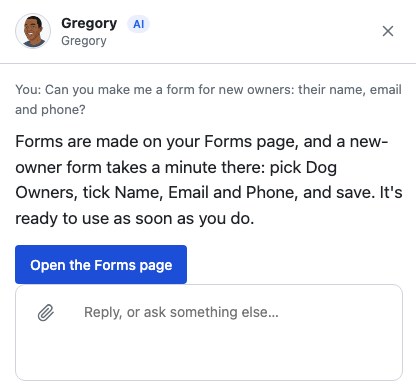
- The forms your customers fill in: the Forms page. Only you make these, and they're ready as soon as you save.
- The wording of your emails: Settings → Emails
Ask Gregory for the rest: new things to keep track of, new rules, automatic messages, or what a helper does and when.
Not sure which it is? Ask him anyway. If it's something you do yourself, he'll tell you where.
Need a helper to stop? Tell Gregory, for example "pause Judy's reminders". You confirm with a tap, and it happens at once.
Asking for a change
- Open Talk to Gregory and say what you want in your own words.
- He shows you Here's what I'll send, so you can check he's understood.
- Choose Yes, send it. Or choose Not quite and tell him what's different, or Never mind to drop it.
You don't need to know how it should work. If you only know the problem, say that: "parents keep asking about make-up sessions", or "I want to start summer camps". He'll ask a few questions about that part of your business, one at a time, and suggest what to do.
While it's built and checked
You can follow your request under Changes, below Gregory. It's built in a safe copy of your app with made-up records, so nothing real is touched, and then it's tested.
- A person reviews every change that touches money, children's details or privacy, and you're told why it's being reviewed.
- Changes that add nothing like that show as Built and checked. They get one quick final look, then come back to you.
A few other things can happen along the way:
- A question about your request: type your answer and choose Send my answer.
- A person is finishing it: the automatic build ran into a problem, so someone on our team has taken over. You don't need to do anything.
- Changed your mind? Choose Withdraw this request. Nothing in your app changes.
When it's ready
Gregory shows your request as ready, with What's new and anything he decided for you. Everything else in your app stays as it is. Then you choose:
- Try it first: open it with sample data. Your real records aren't shown, and no email is really sent.
- Looks good, go live: your app gets the change.
- Not quite: say what isn't right, and it comes back to you once it's changed.
- Don't want it: your app stays as it is.
Nothing goes live until you say so.
Removing something a form uses
If one of your forms asks for a detail, that detail can't be removed until it's off the form. Gregory tells you which forms use it and what to do first. Usually that means taking it off on the Forms page, then asking him again.
If it can't be done yet
Gregory tells you if something isn't possible yet, and he won't build something half-right. Your request is kept, and you hear back when it's ready. He'll remind you what you asked for, and you can choose Yes, let's add it or Not now.
What this costs
Questions are free, and changes are part of your plan. They don't use your AI allowance.
If you're stuck
Ask Gregory. He answers questions about your app and tells you where to do things, and questions are free. You can also email support@ask-gregory.com.