A website comes with your app.
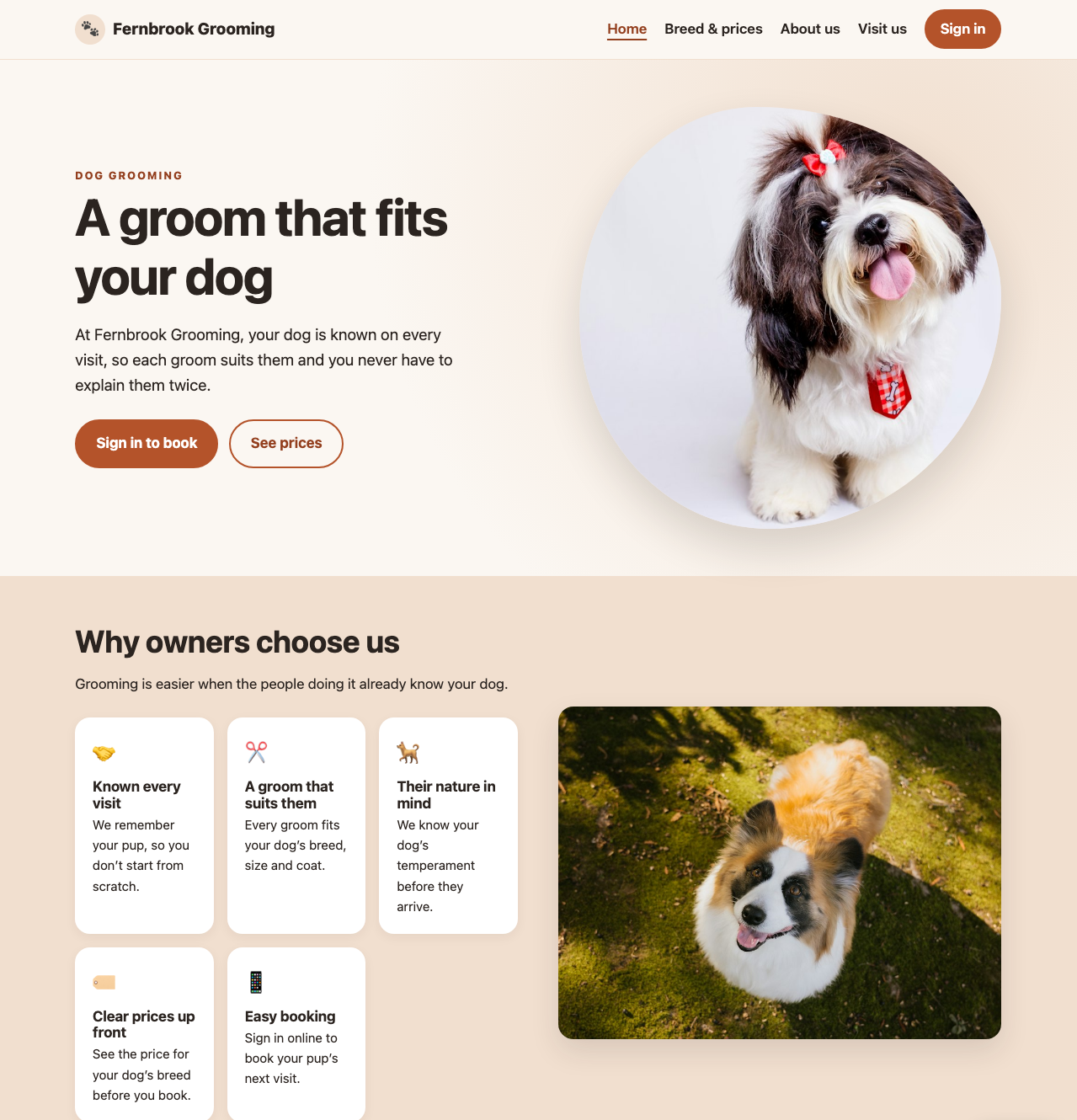
Carlos, your AI web designer, makes it from what your app already knows. You see it before anyone else does, and it can keep growing with your business.
What's included
Your website is part of your plan, including keeping it online. There's nothing extra to buy, so it may replace what you pay for a website now. Making and changing it uses your AI allowance, and fixing a word or a photo yourself is free.
It isn't a template with your name dropped in. Carlos writes each website for the business it's for, and it works on a phone and a computer.
How it gets made
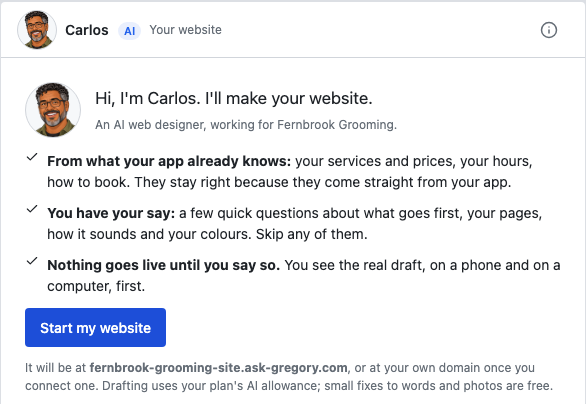
1. Ask Carlos to start
Carlos starts only when you ask, so no AI is spent on a website you don't want.
2. Answer a few quick questions
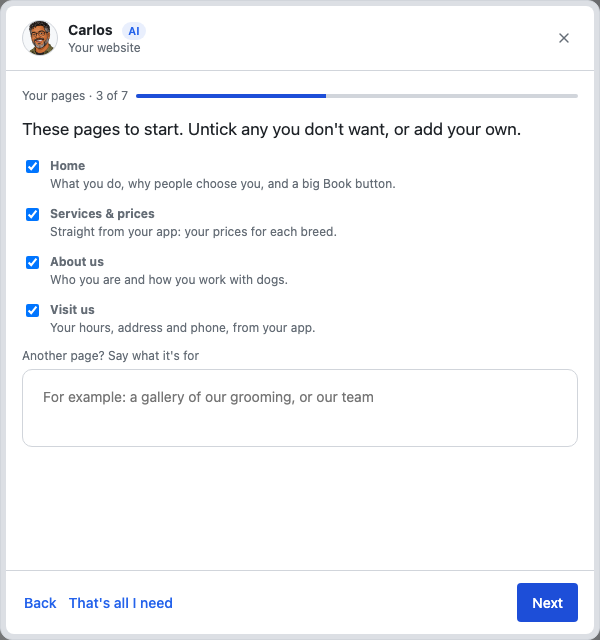
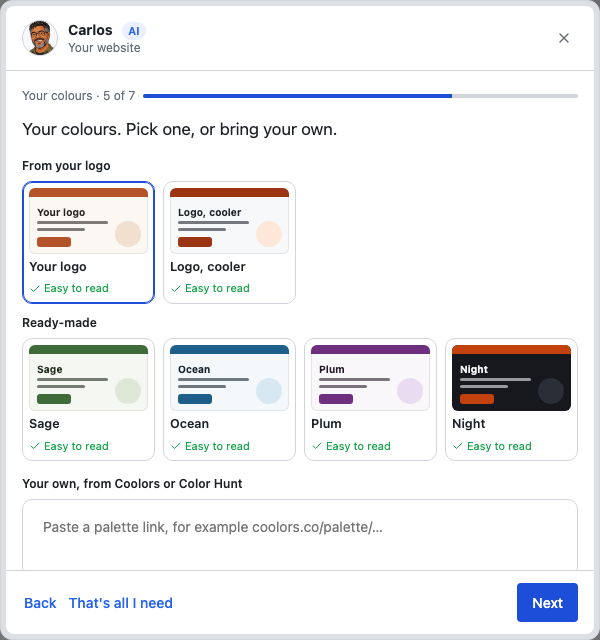
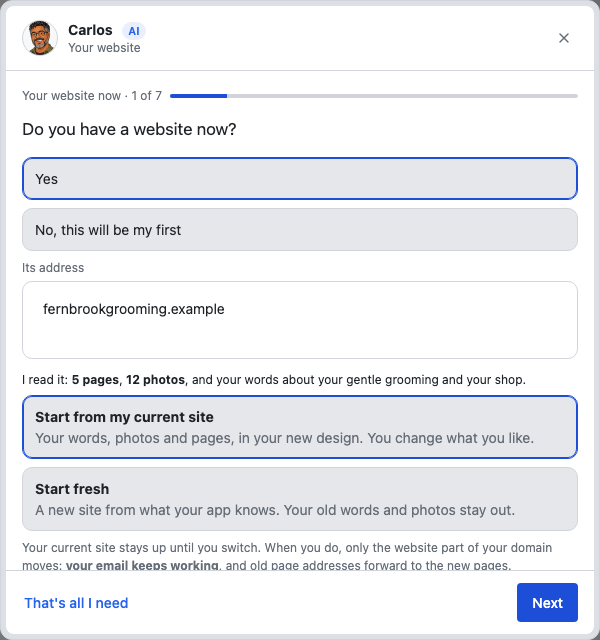
Your website now, what goes first, your pages, how it should sound, your colours, your photos, and websites you like. Skip any of them. Your services, prices and hours aren't asked for, because your app already has them.
3. Look at the real thing
Carlos tries the draft on a phone and a computer, then tells you it's ready. You see it side by side, and the links and pages work. Nobody else can see it.
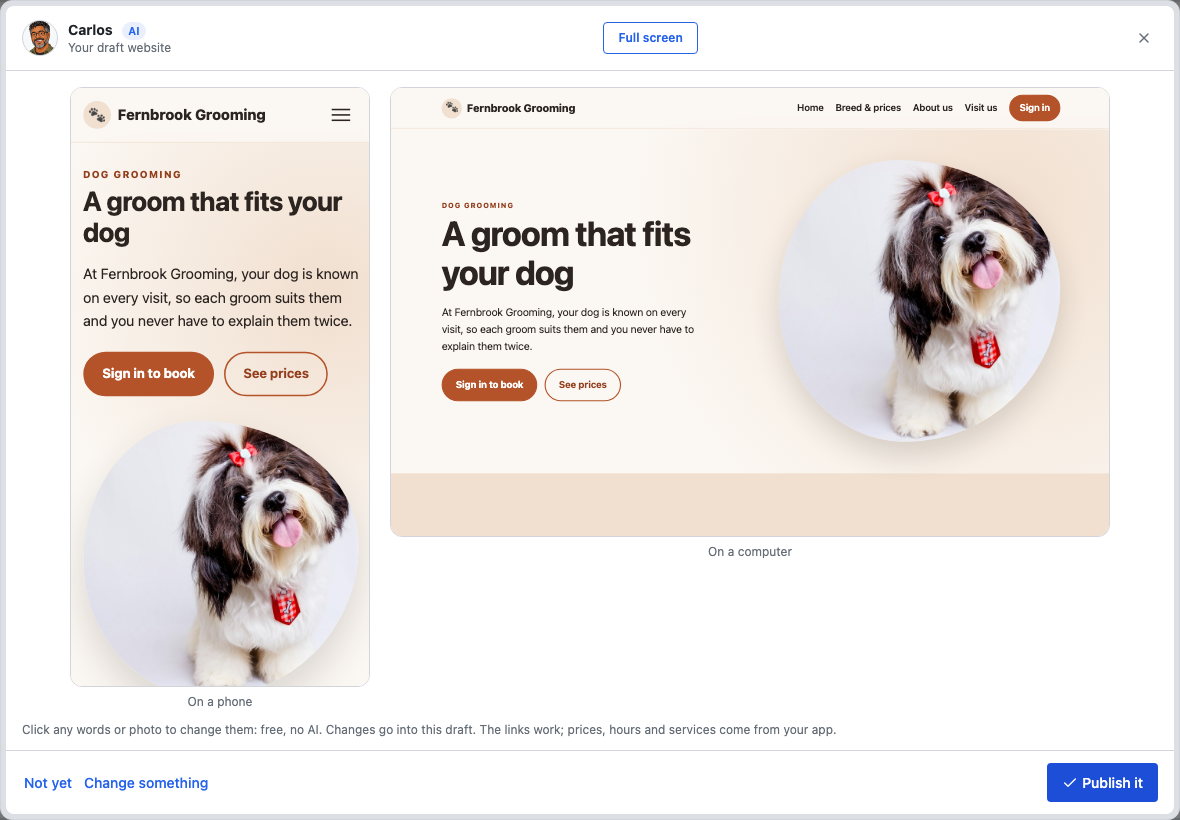
4. Publish it when you're happy
- Publish it: your website goes live.
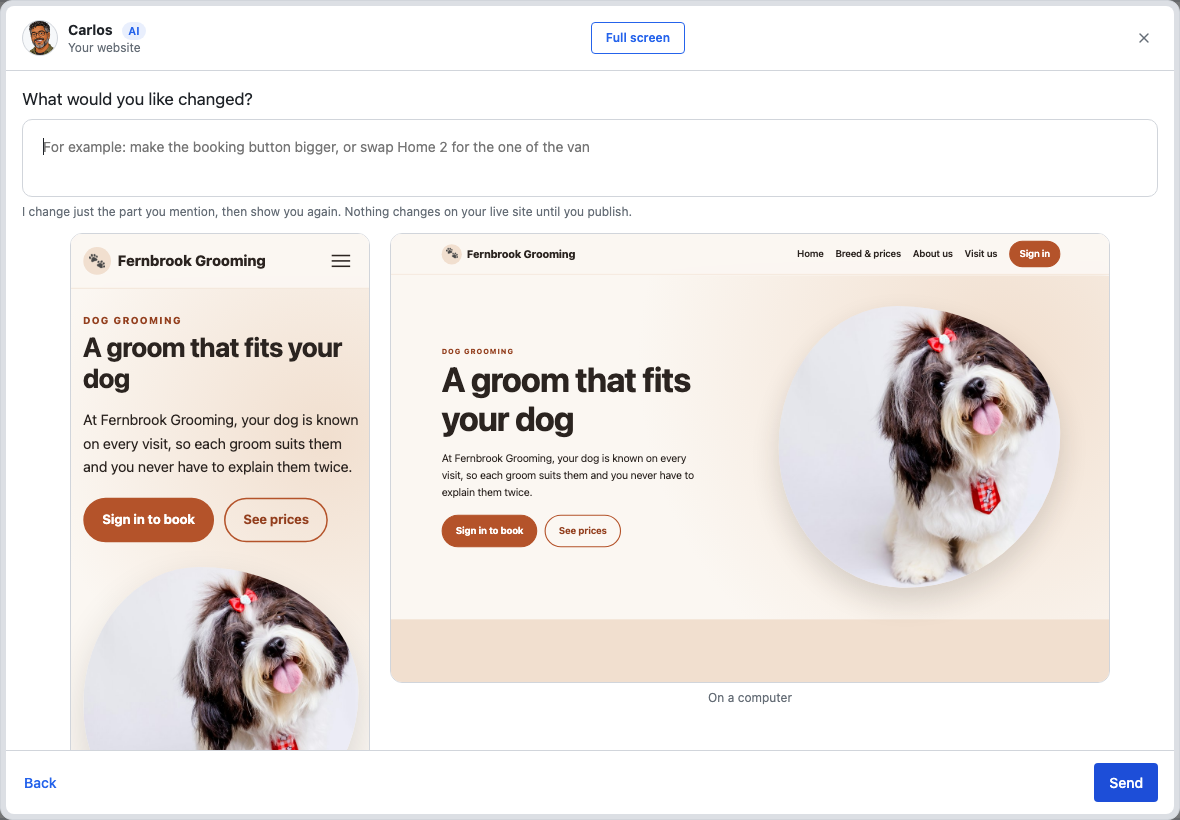
- Change something: say what's different, and he shows you again.
- Not yet: nothing goes live.
Your website can keep growing
You aren't limited to the pages Carlos starts with. Whenever you like, tell him what you want in your own words:
- "Add a page showing photos of our work."
- "Add a slideshow to the top of the home page."
- "Put our YouTube video on the About page."
- "Add a page of answers to common questions."
He can add, change or remove pages, and build what a web developer would build inside a site: galleries, slideshows, animation, tabs and fold-out sections. He changes only the part you mention, then shows you again.
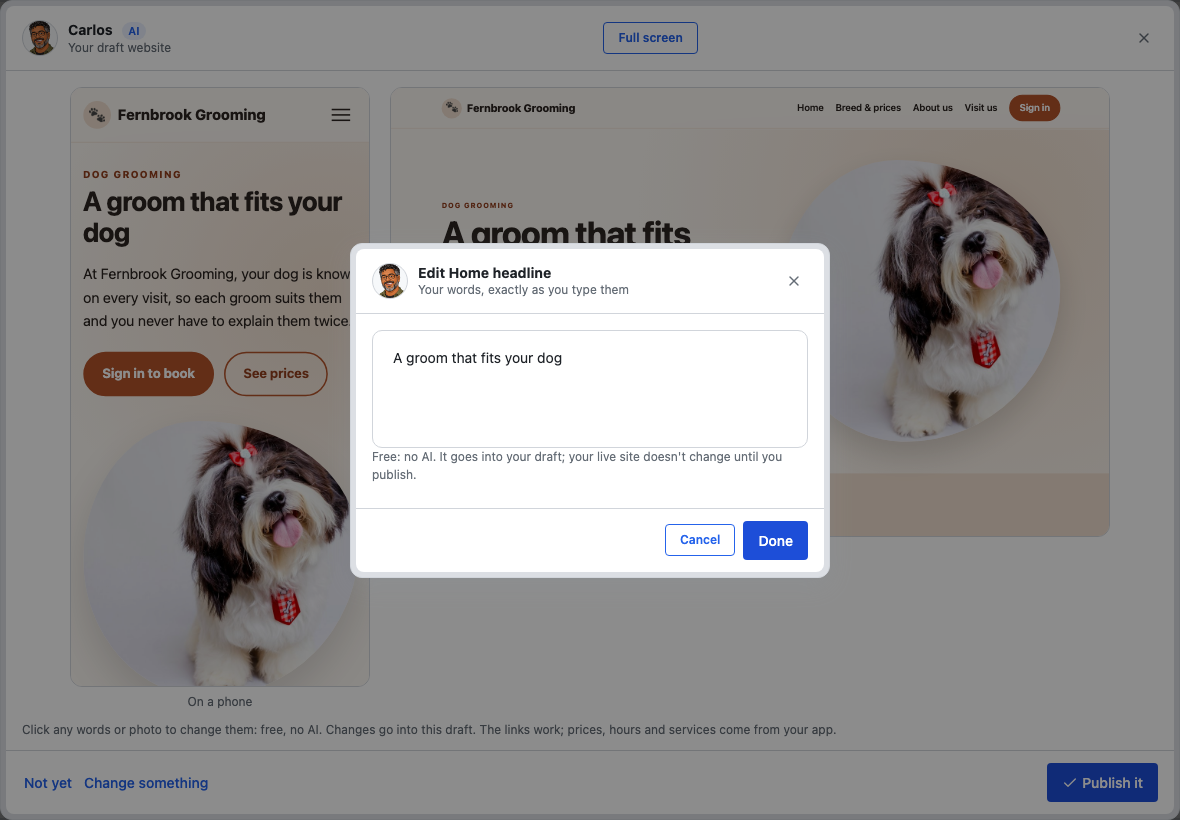
Fix a word or a photo yourself
Click any words or photo on your draft and change them. It's free and uses no AI. Add your own photos whenever you have them: until then, Carlos uses licensed stock photos for general scenes, and illustrations for your own team and place.
What can't go on it
Some things can't go on your website, like outside widgets or social feeds. Those are always kept out, which keeps your website fast and free of other companies' trackers. Google Maps and YouTube are the two that can come in. If you ask for something that can't be done, Carlos tells you, and suggests what he can do instead. For example, he can add a button that links to your Instagram. Your own bookings and forms live in your app, and buttons on your website take people there.
It stays right by itself
Your prices, hours and services come straight from your app. Change a price in your app, and your website shows it within a minute. Your customers' details, your money and anything private are never used.
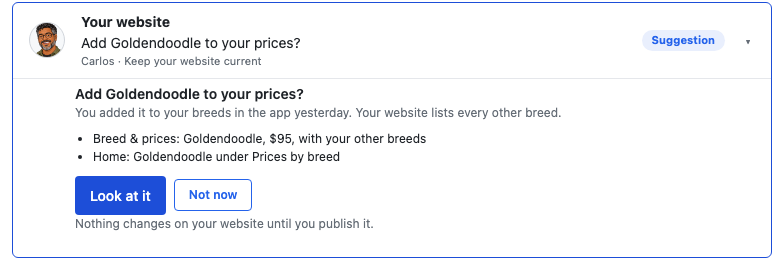
Each week, Carlos also looks for what's new in your app and suggests updates for you to approve. You can change how often.
Being found on Google
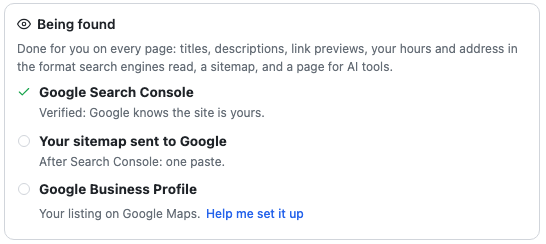
Every page gets a title and description, link previews, and your hours and address in the format search engines read. Carlos also helps you with Google Search Console and your Google Business Profile, your free listing on Google Search and Maps. Nobody can promise where you'll appear, but your website will be ready to be found.
Already have a website?
Carlos can read it and start from your own words, photos and pages in a new design, or you can start fresh.
- Your current website stays up until you switch.
- Your email keeps working: only the website part of your domain moves.
- Old page addresses forward to your new pages.
Your address
Your website starts at an ask-gregory.com address. If you have a domain, your website gets the domain itself, and your app moves to app.yourdomain. Don't have one yet? Carlos explains how to get one. You buy it yourself, from a company that sells domains.
You're in charge
Nothing goes live until you say so, and that can't be switched off. Every change goes into a draft first, and earlier versions can be put back. Your prices, hours and services are the exception: they follow your app, so your website is never out of date.
Answering your visitors
Judy, your front desk, can answer your visitors' questions in a chat box on your website. See how the website chat works.
Not yet
- A shop, a blog, several languages or visitor statistics.
- Forms on the website itself. Buttons open your app's own forms instead.
- Uploading video or sound files. A video goes on through YouTube.