Your website can answer questions.
Judy, your AI front desk, answers visitors right on your website, from what your business has told her. Some call this a chatbot. What she doesn't know comes to you, and she can learn your answer.
What your visitors see
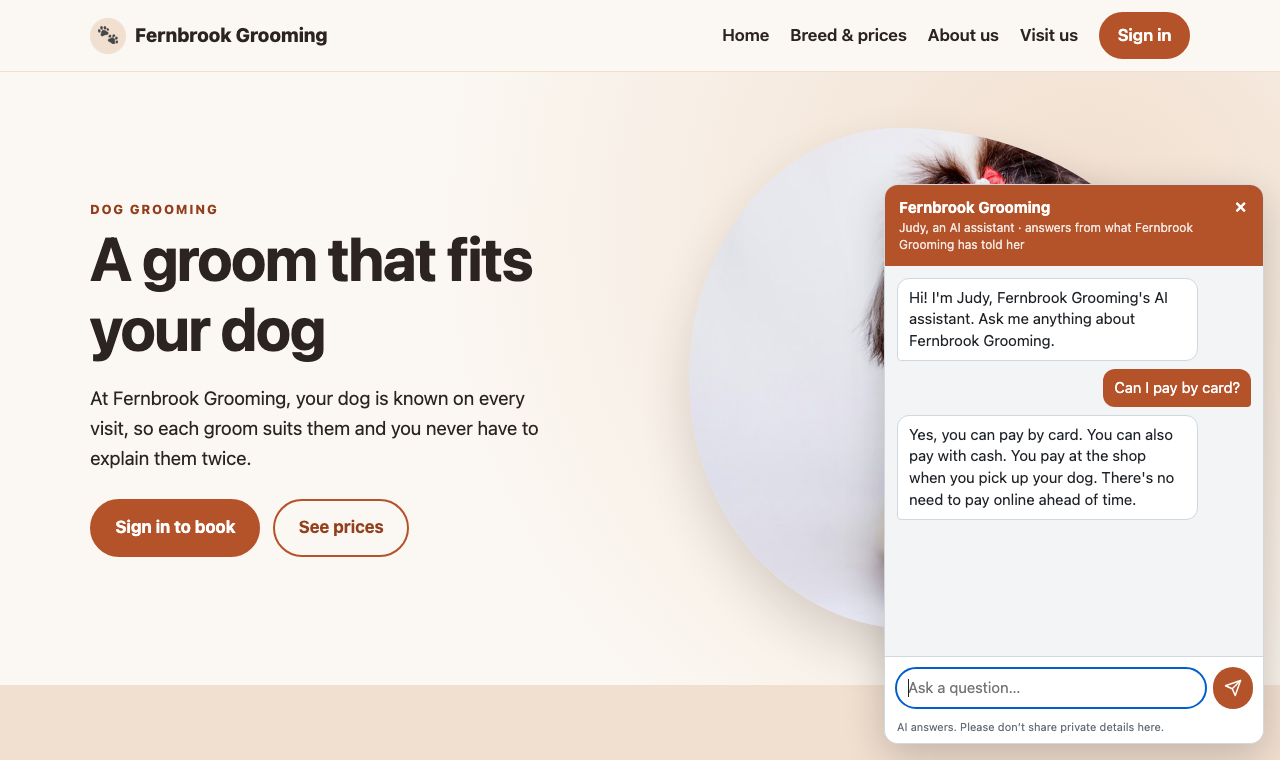
An Ask us button sits on every page, in your website's colours. A visitor asks, and if Judy knows the answer, she replies right there. There's no name, no sign-up and no email address to give first. She says she's an AI every time the chat opens.
Try it here: the Ask us button in the corner of your screen is the same chat. It's Judy answering questions about Ask Gregory, from what we've told her.
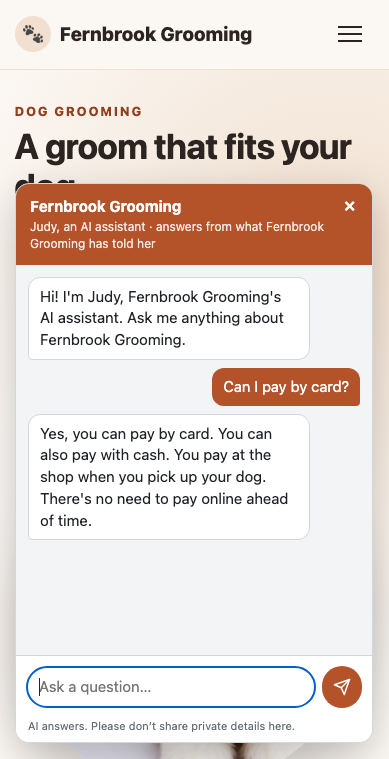
On a phone, it fills most of the screen.
When she isn't sure
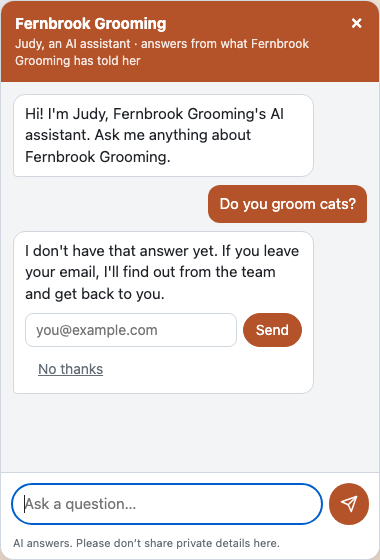
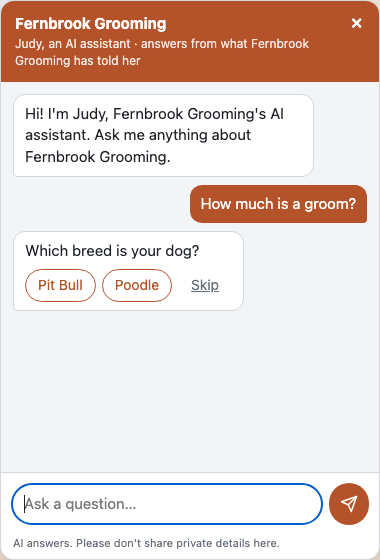
Judy checks every fact before she answers. She doesn't guess. If she doesn't know, she says so and offers to find out. Only then does she ask for an email address, and the visitor can say no thanks.
What comes to you
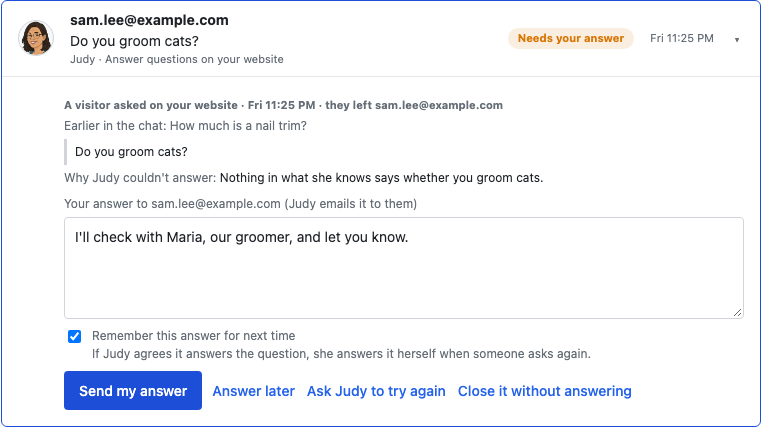
If the visitor leaves their email, the question comes to you in Needs you, with why Judy couldn't answer. You write your answer, and it goes to them by email. If they ask something else or say no thanks, nothing comes to you, and the question stays in your chat log.
She can learn your answer
Before your answer goes, Judy checks that it really answers the question. If it doesn't, she says why, and you can rewrite it or explain. Your explanation is often the answer, and she'll offer a better version.
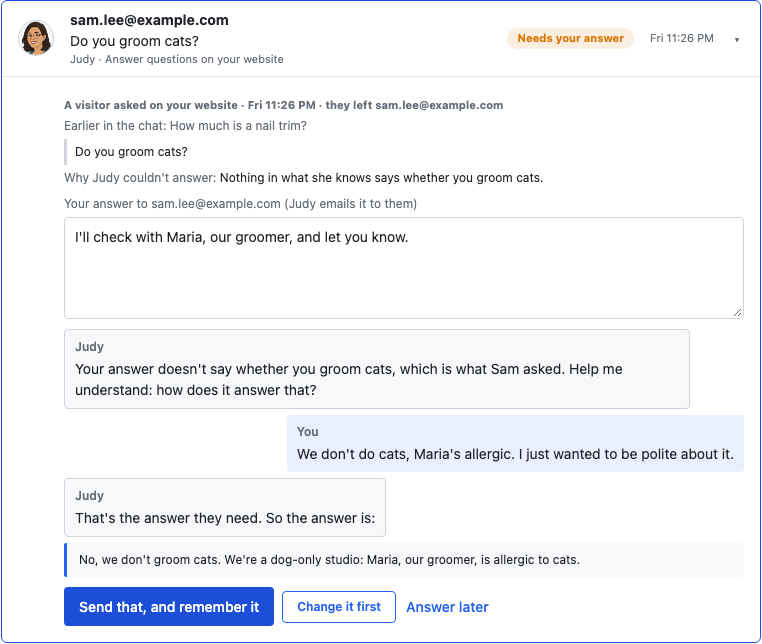
- Remember it: tick the box, and if Judy agrees it answers the question, she answers it herself next time someone asks.
- Send it anyway: sending is always your call. She won't remember an answer she doesn't think answers the question.
- Answer later: the question keeps waiting, with what you wrote.
When she learns something new, she looks again at the questions waiting. Any she can now answer have her reply ready for you. She never sends those by herself.
Where her answers come from
Judy answers only from what she knows, and you can see all of it under What I know on her page:
- About your business: Gregory writes this from your conversation, and you read, change and save it. Anything he doesn't know is marked for you to fill in, never guessed.
- Your lists: the ones you tick, such as services and prices. She reads them fresh each time, so when a price changes, her answer does too.
- Your documents, and the answers she's learned.
If her sources disagree, your app's lists win. If two others disagree, she brings you the question rather than guess.
What she never does
- Look up anyone's records, or talk about anyone's bookings or account. Nobody is signed in, so those questions come to you.
- Book anything. She says how to book, or brings you the question if she doesn't know how.
- Send forms in the chat.
- Ask for an email address just to chat.
You're in charge
This is the one job of Judy's that doesn't ask you first, because a visitor won't wait. Her fact check, and bringing you what she isn't sure of, keep it right. You choose whether to have it at all:
- Switch it on or off: it's your choice, and it comes off your website straight away.
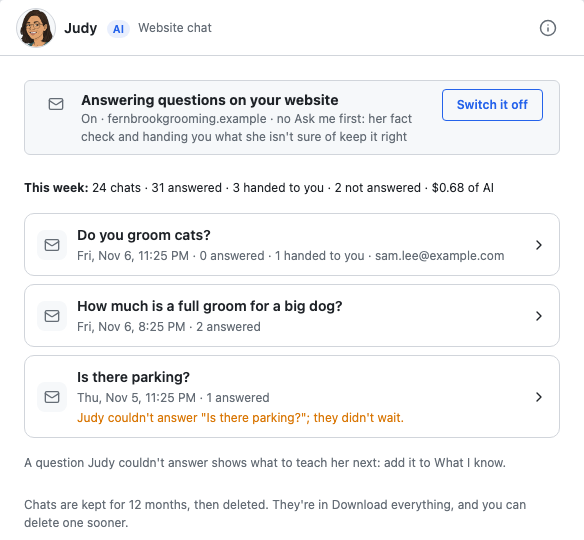
- Read every chat: what she answered, what she brought you, and the questions visitors didn't wait for, which show you what to teach her next.
- Keep or delete: chats are kept for 12 months, then deleted. They're in your Download everything, and you can delete one sooner.
What it costs
The chat comes with your plan, and answering uses your AI allowance. To keep costs in hand, there are daily limits on how much the chat answers. Past a limit, or while Judy is paused, the chat asks visitors to email you instead. If your AI allowance runs out, she offers to pass on their question, and it comes to you if they leave their email.
What you need
The chat works on the website Carlos makes for you. You can switch it on once your website is live.
Have a website made elsewhere? Email support@ask-gregory.com, and we'll tell you whether the chat can go on it.
Not yet
- Booking or rescheduling in the chat.
- Answering customers about their own records.
- Text messages are coming soon. For now, your answers go by email.